Voice-searchable work instructions: how do operators find the right step mid-task?
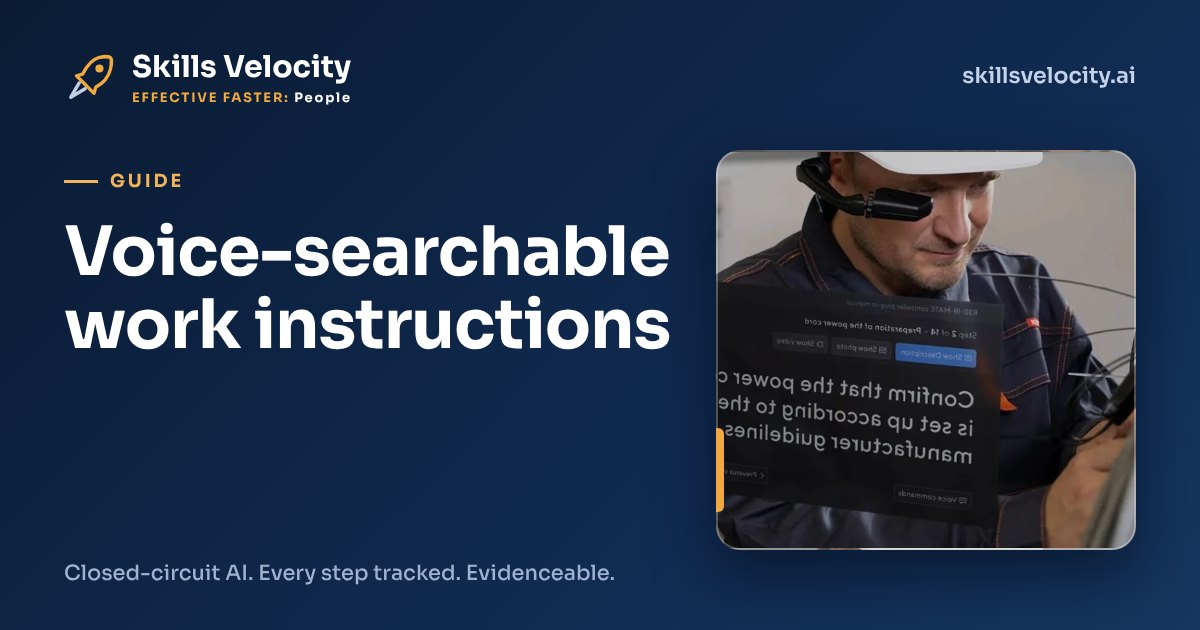
Voice-searchable work instructions are step-by-step video procedures that an operator searches by speaking. They ask out loud, mid-task, and land on the exact step of the current version, hands-free on smart glasses, a tablet or a phone. Less time hunting through paper, fewer skipped steps, and every step tracked for the record.
Every site has the same quiet problem. The procedure exists. It is accurate. It sits in a binder, a shared drive or a PDF on a terminal at the end of the line. And at the moment an operator needs step 14, their hands are full and the binder is twenty metres away.
So they do it from memory. Most of the time that works. The time it does not is the deviation, the rework or the question from a customer auditor that nobody can answer.
What are voice-searchable work instructions?
Voice-searchable work instructions are procedures broken into short video steps that you find by speaking, not by scrolling. The operator says what they need, such as “torque settings for the rear bracket”, and the instruction opens at that step.
Three things make them different from a PDF on a tablet:
- Steps, not documents. Each step is a short clip with the key check written underneath. You land on step 14, not page 1 of 30.
- Hands-free. The operator speaks and listens. On smart glasses the step plays in their line of sight while both hands stay on the job.
- One current version. Search only returns the approved version. Superseded steps do not appear, so nobody follows last year’s method by accident.
We built Skills Velocity around this idea. You can see how it works on smart glasses on our smart glasses work instructions page.
How does an operator use them mid-task?
The operator asks a question out loud and the right step plays. They confirm it is done, and the next step follows. If a check is missed, the system advises them before they move on.
A typical exchange on the line looks like this:
- The technician is partway through a fit-up and is unsure of the sequence. They say “next step after bracket alignment”.
- Step 7 of version 4 plays: a 20 second clip filmed by the site’s best engineer, with the torque value on screen.
- They complete it and say “done”. The step is tracked: who, which step, which version, when.
- If they try to skip the verification check, they are advised that it is still open.
The point is not the voice feature on its own. It is that the right answer now reaches the operator at the moment they would otherwise guess.
Why do paper SOPs and PDFs get skipped?
Because finding the right step takes longer than the step itself. When that happens, people stop looking and rely on memory.
This is not a new insight. The UK Health and Safety Executive says it plainly in its guidance on human error, HSG48, Reducing error and influencing behaviour: “If it takes too long to find a procedure users will be more reluctant to use it.” The same guidance lists “procedures which are hard to read or out of date” among the design features that make violations more likely.
HSG48 also splits human failure into errors (slips, lapses and mistakes) and violations. A lapse is a memory failure, such as forgetting a step or losing your place in a task. Lapses are exactly what a step-by-step instruction at the point of work is designed to catch. A binder in the office cannot catch them.
For Tom, the quality leader, the cost shows up as a deviation report and a root cause that says “procedure not followed”. For Fred, scaling a workforce, it shows up as starters who cannot work alone because the know-how still lives in two people’s heads. We cover that second problem in key person risk and expert knowledge.
What does voice search save compared with paper?
It saves the walk, the search and the guess. The time saving is easy to count. The bigger saving is the rework you avoid when people stop working from memory.
Here is a worked example. The numbers are illustrative: swap in your own.
| Item | Paper or PDF | Voice-searchable |
|---|---|---|
| Operators on the line | 40 | 40 |
| Procedure look-ups per operator per shift | 6 | 6 |
| Time per look-up | 3 minutes | 20 seconds |
| Look-up time per operator per shift | 18 minutes | 2 minutes |
| Hours per shift, whole line | 12 hours | 1.3 hours |
That is about 10.7 hours a shift returned to productive work. Over 230 shifts a year it is roughly 2,450 hours. At a loaded cost of £35 an hour, that is about £85,800 a year, before you count a single avoided defect.
Now add the deviation. If one missed step in a quarter leads to a scrapped batch or a reworked assembly, that single event can cost more than the year of look-up time. That is why we talk about getting work right first time, not only faster.
What happened when one manufacturer put voice on the line?
Voice on the shop floor is not new, and the published results are strong. In February 2026, IndustryWeek reported how window and door maker Pella rolled out a voice-activated system to its operators.
According to the report, new operators in the pilot reached proficiency in “a few days” against “three-to-six months” before. Long term, voice cut errors or bad picks by 90%. The system also logged expected and completed steps for traceability, and Pella loaded Spanish-language instructions for one plant.
Pella is not a Skills Velocity customer, and its system guides picking rather than searching procedures. But the lesson carries over. When the instruction reaches the operator at the point of work, by voice, people get effective faster and make fewer mistakes.
Can closed-circuit AI answer operators’ questions safely?
Yes, if the AI is closed-circuit. Closed-circuit AI runs inside an environment you control and answers only from your approved content, never the open internet.
That matters on a shop floor. A public chatbot will give a confident answer to “what torque for this bolt?” even if it has never seen your drawing. A closed-circuit system can only return a step that your engineers filmed and your quality team approved. If the answer is not in your content, it says so.
Today, voice search takes the operator to the exact step. Asking free-form questions by voice and getting a spoken answer is in pilot. Both run on the same approved content, and your data stays where you choose. We explain the wider approach on our sovereign, closed-circuit AI for manufacturing page.
How do you start with voice-searchable work instructions?
Start with one task that hurts: the one with the most deviations, the longest ramp-up or the expert who is retiring. Do not start with the whole procedure library.
- Pick the task. Choose one with a clear cost: rework, a slow ramp-up or a single point of knowledge.
- Film the expert once. Your best engineer does the job and talks through it on smart glasses or a phone. NSFlow turns that recording into translated, step-by-step instructions.
- Approve and publish. Your quality team checks each step and sets the version. The first workflow is live in hours.
- Track and improve. Every completed step is recorded. Where operators search most, or where errors are advised most, is where the procedure needs work.
The record that builds up supports your evidence when a client or auditor asks who did what, to which version. See what that record needs to hold in operator competence records for ISO 9001 audits.
Next step
Two ways to see it on your own work:
- Book a demo at /#contact and we will show you voice search on a real procedure.
- Send your SOP, see it play. Email mark@skillsvelocity.ai with one procedure. A redacted or non-sensitive example is fine. We will show it to you as voice-searchable, step-by-step video.
Frequently asked questions
What is a good alternative to paper SOPs for training operators?
Film the task once with your best engineer and turn it into short, step-by-step video instructions. Operators search them by voice on smart glasses, a tablet or a phone, land on the exact step, and every completed step is tracked. It keeps one approved version and removes the walk to the binder.
Do voice-searchable work instructions work in noisy factories?
They are designed for the shop floor, where hands are busy and noise is common. Smart glasses and headsets with close microphones help. Where speech is not practical, operators can tap or use a tablet instead, and the same steps and step tracking apply either way.
Can operators ask questions in their own language?
Instructions can be translated, so each operator follows the steps in the language they work in best. NSFlow produces translated step-by-step instructions from one recording. Spoken question-and-answer by voice is currently a pilot, so confirm the languages you need when you book a demo.
Is voice search the same as a ChatGPT-style assistant?
No. A public chatbot answers from the open internet and can be confidently wrong. Closed-circuit AI answers only from your approved content and runs in an environment you control. If the answer is not in your procedures, it says so instead of guessing.
How quickly can we get the first workflow live?
The first workflow is typically live in hours. Pick one task, film your expert doing it once, have your quality team approve the steps, and publish. Start with the task that causes the most rework or the longest ramp-up, then add the next.